Astro 6: Server Islands, Responsive Images, and the Future of Performant Web
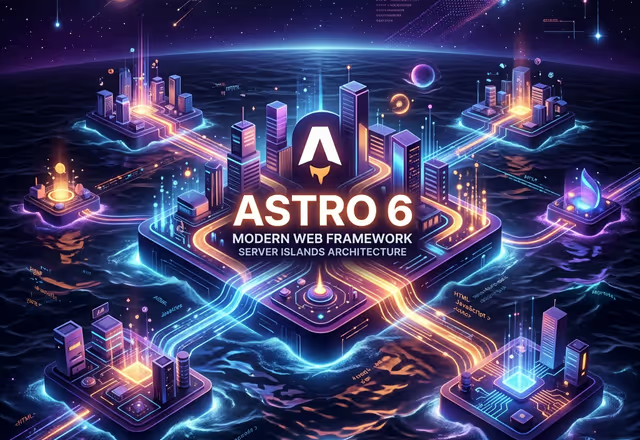
Astro 6 has arrived, bringing with it one of the most significant evolutions in the framework’s history. While Astro has always excelled at generating ultra-fast static sites, this version radically expands the framework’s capabilities toward a mature hybrid rendering model — without abandoning its founding principle: shipping the minimum possible JavaScript to the browser.
At marfCode dev we use Astro as our reference framework for content-focused sites, and we’ve thoroughly analyzed every new feature. Here’s what really changes with Astro 6.
Server Islands: Hybrid Rendering Comes of Age
The most important new feature in Astro 6 is the stabilization of Server Islands, first previewed in Astro 5. This is a composition model that allows combining static content and server-rendered dynamic content within the same page, selectively and granularly.
The concept is elegant: the page is generated statically and distributed via CDN for maximum performance, while “islands” that require fresh data or per-user personalization are hydrated separately by the server, on-demand.
---
// This component is a Server Island
// Rendered server-side on every request
export const prerender = false;

const { userId } = Astro.params;
const userData = await fetchUserData(userId);
---

<div>
  <h2>Welcome, {userData.name}</h2>
  <p>Your plan: {userData.plan}</p>
</div>
The practical advantage is enormous: you can keep a site mostly static (and therefore very fast) while adding per-user personalized components — dashboards, carts, authentication widgets — without having to choose between “all static” or “all SSR”.
This approach integrates perfectly with Cloudflare Workers: Server Islands can run at the edge, close to users, eliminating the cold start latency typical of traditional serverless providers.
Native Responsive Images: No More Workarounds
Astro 6 introduces native support for responsive images through the updated <Image> component and the new layout attribute. The framework now automatically handles srcset and sizes generation, optimizing images for every resolution and pixel density.
---
import { Image } from "astro:assets";
import heroImage from "../assets/hero.jpg";
---

<Image
  src={heroImage}
  alt="Hero image"
  layout="responsive"
  widths={[400, 800, 1200, 1600]}
  sizes="(max-width: 768px) 100vw, (max-width: 1200px) 80vw, 1200px"
/>
The result is semantically correct HTML with optimized srcset, automatic lazy loading, and prevention of layout shift (CLS). This directly translates to better Google Lighthouse scores without developer effort.
The component supports three layout modes:
responsive: Image scales with the containerfixed: Fixed dimensions with support for high-density displays (Retina)full-width: Always occupies the full width of the container
Improved Type Inference with infer
Astro 6 introduces substantial improvements to the type safety system for Content Collections. The new infer helper allows automatically deriving the TypeScript type from any Zod schema defined in the collection:
// src/content.config.ts
import { defineCollection, z } from "astro:content";

const blog = defineCollection({
  schema: z.object({
    title: z.string(),
    pubDate: z.date(),
    tags: z.array(z.string()),
    featured: z.boolean().default(false),
  }),
});

// In an Astro component
import type { CollectionEntry } from "astro:content";

type BlogPost = CollectionEntry<"blog">;
// The type is automatically inferred from the schema
TypeScript integration is now more robust, with precise type errors and accurate autocompletion in editors like VS Code. This reduces runtime bugs caused by malformed data and improves the development experience on large-scale projects.
Astro Actions: Forms and Mutations Without API Routes
Introduced in Astro 5 and now fully mature in Astro 6, Astro Actions drastically simplify the handling of forms and data mutations. Instead of creating separate API routes, Actions allow defining typed server-side functions that can be called directly from client components.
// src/actions/index.ts
import { defineAction } from "astro:actions";
import { z } from "astro:schema";

export const server = {
  submitContact: defineAction({
    input: z.object({
      name: z.string(),
      email: z.string().email(),
      message: z.string().min(10),
    }),
    handler: async (input, context) => {
      await sendEmail(input);
      return { success: true };
    },
  }),
};
---
import { actions } from "astro:actions";
---
<form method="POST" action={actions.submitContact}>
<input name="name" type="text" required />
<input name="email" type="email" required />
<textarea name="message" required></textarea>
<button type="submit">Send</button>
</form>Actions automatically handle input validation, error serialization, and progressive enhancement: they work even without JavaScript thanks to a fallback on standard HTML forms.
Vite 6 and Build Performance
Astro 6 upgrades the underlying bundler to Vite 6, with significant improvements to build and development performance:
- Environment API: A new unified API for managing multiple environments (client, server, SSR) during build
- CSS Source Maps: Improved support for CSS debugging in development
- Faster HMR: Faster Hot Module Replacement during development
- Optimized tree-shaking: Even smaller client bundles thanks to more aggressive tree-shaking
On real medium-sized projects, Astro 6 build times are on average 25-35% faster compared to Astro 4 — a significant improvement especially in CI/CD workflows.
astro:env for Secure Environment Variable Management
Astro 6 stabilizes the astro:env module, which introduces a typed and secure system for managing environment variables. Instead of accessing import.meta.env.MY_VAR without type guarantees, you define an explicit schema:
// astro.config.mjs
import { defineConfig, envField } from "astro/config";

export default defineConfig({
  env: {
    schema: {
      API_URL: envField.string({ context: "server", access: "secret" }),
      PUBLIC_SITE_URL: envField.string({ context: "client", access: "public" }),
      MAX_ITEMS: envField.number({
        context: "server",
        access: "secret",
        default: 100,
      }),
    },
  },
});
The framework automatically validates variables at build time, reporting errors if required variables are missing. The context (client / server) ensures secrets are never accidentally exposed to the browser.
Why Upgrade Now
Astro 6 is not an incremental update: it is a maturation of the framework toward a modern web development model that embraces both static and dynamic rendering, without compromising on performance.
The three main reasons to upgrade today:
- Stable Server Islands: Finally a reliable model for hybrid content, ideal for applications that mix public pages and authenticated areas
- Native responsive images: Zero configuration for automatic image optimization across all devices
- Complete type safety: Fewer bugs, fewer runtime errors, better development experience for teams
At marfCode dev we have already migrated our Astro projects to version 6. The migration process from Astro 5 was almost painless: most breaking changes concern minor APIs and the team completed the upgrade in less than a working day.
If you’re considering Astro for your next project, or want to upgrade an existing site, contact us: we’re ready to help you make the most of Astro 6’s capabilities.